Startechcom SAT2510BU2B Bedienungsanleitung Seite 6

  • Herunterladen
  • Zu meinen Handbüchern hinzufügen
  • Drucken
  • Seite
    / 10
  • Inhaltsverzeichnis
  • LESEZEICHEN
  • Bewertet. / 5. Basierend auf Kundenbewertungen
Seitenansicht 5
3
Driver Installation
Microsoft Windows
®
2000 or later, and Mac OS
®
10.x do not require
driver installation, as this enclosure is natively supported.
Installation for Windows
®
98SE/ME
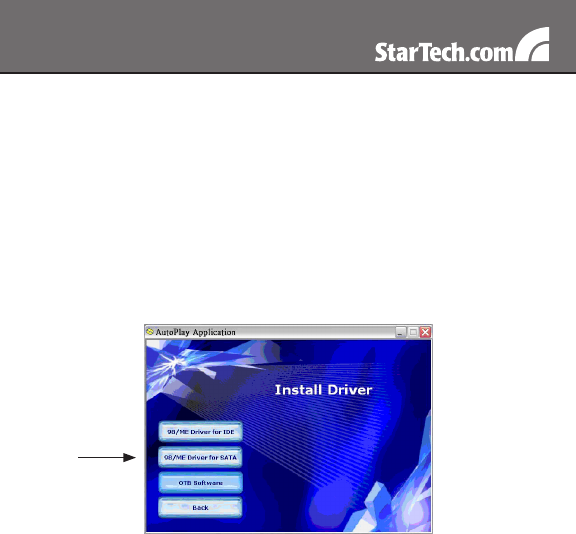
Insert the software CD into the CD-ROM drive.1.
If Autorun does not play automatically, double-click “autorun.exe” 2.
from the CD.
Follow the instructions in the pop-up window for installing the 98/ME 3.
driver.
Make sure to install the correct driver for your HDD.4.
Backup Software Installation
Insert the software CD into the CD-ROM drive.1.
If Autorun does not play automatically, double-click “autorun.exe” 2.
from the CD.
Follow the instructions in the pop-up window for installing the OTB 3.
Software.
Once the Setup Wizard is complete, the Registration window should 4.
open. Enter the Registration Key on the CD and click “Register”.
Double-click “Backup4all” icon on the desk-top. Click “Tools” on the 5.
Seitenansicht 5
1 2 3 4 5 6 7 8 9 10

Kommentare zu diesen Handbüchern

Keine Kommentare