Startechcom UNI3510UEBGB Bedienungsanleitung
Stöbern Sie online oder laden Sie Bedienungsanleitung nach Computerzubehör Startechcom UNI3510UEBGB herunter. StarTech.com UNI3510UEBGB User Manual Benutzerhandbuch
- Seite / 13
- Inhaltsverzeichnis
- LESEZEICHEN
Bewertet. / 5. Basierend auf Kundenbewertungen

Manual Revision: 03/28/2012
For the most up-to-date information, please visit: www.startech.com
DE: Bedienungsanleitung - de.startech.com
FR: Guide de l'utilisateur - fr.startech.com
ES: Guía del usuario - es.startech.com
IT: Guida per l'uso - it.startech.com
NL: Gebruiksaanwijzing - nl.startech.com
PT: Guia do usuário - pt.startech.com
UNI3510U2EB
UNI3510UEBEU
UNI3510UEBGB
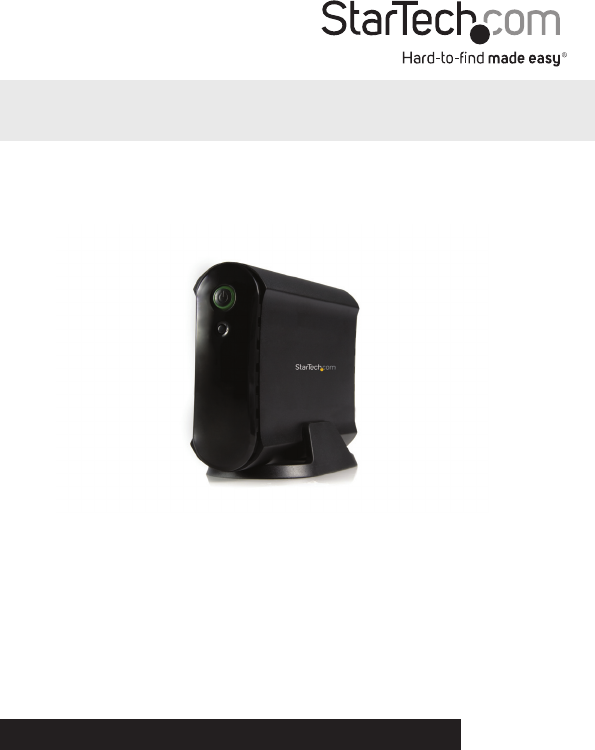
3.5 eSATA USB 2.0 to IDE SATA External
Hard Drive Enclosure
*actual product may vary from photos
Inhaltsverzeichnis
Seite 1 - Hard Drive Enclosure
Manual Revision: 03/28/2012For the most up-to-date information, please visit: www.startech.comDE: Bedienungsanleitung - de.startech.comFR: Guide de l&
Seite 2 - FCC Compliance Statement
Instruction Manual7eSATAIf you are using the eSATA interface to connect the hard drive enclosure to your computer, there are two setup processes you c
Seite 3 - Table of Contents
Instruction Manual8SpecicationsBus InterfaceSATA 3.0Gb/sUSB 2.0Chipset ID JMicron JMB20337External Connectors1 x eSATA connector*1 x USB Mini B conne
Seite 4 - Introduction
Instruction Manual9Technical SupportStarTech.com’s lifetime technical support is an integral part of our commitment to provide industry-le
Seite 5 - Hardware Guide
Hard-to-nd made easy. At StarTech.com, that isn’t a slogan. It’s a promise.StarTech.com is your one-stop source for every connectivity part
Seite 6 - Installation
Instruction ManualFCC Compliance StatementThis equipment has been tested and found to comply with the limits for a Class B digital dev
Seite 7 - Driver Installation
Instruction ManualiTable of ContentsIntroduction ...1Packagin
Seite 8 - Software Installation
Instruction Manual1IntroductionThis enclosure lets you turn almost any high capacity 3.5” Serial ATA (SATA) or IDE hard drive into an eSATA (SATA only
Seite 9 - Recognizing the Hard Drive
Instruction Manual2Hardware GuideFront PanelRear Panel1234121. Power Button/LED2. Backup Button1. DC In Port2. eSATA Port3. Mini USB Port4. Hard
Seite 10 - Windows Vista/7
Instruction Manual3InstallationHardware Installation1. Open the hard drive enclosure by pushing the rear panel release button to the right and slidin
Seite 11 - Specications
Instruction Manual45. IDE HDD: Only the USB 2.0 interface is available for connecting an IDE hard drive to the host computer. Plug the 40-pin IDE dat
Seite 12 - Warranty Information
Instruction Manual5Software InstallationThe following steps outline the procedure to install the software included with your drive enclosure in Window
Seite 13
Instruction Manual61. Click Browse to designate the directory in which the software will be installed. Once you have made your selection, click Insta
Weitere Dokumente für Computerzubehör Startechcom UNI3510UEBGB

Startechcom UNI3510UEBGB Bedienungsanleitung
(13 Seiten)

Startechcom UNI3510UEBGB Bedienungsanleitung
(14 Seiten)
Verwandte Produkte und Handbücher für Computerzubehör Startechcom UNI3510UEBGB
 (13 Seiten)
 (14 Seiten)
© 2020, manymanuals.de. Alle Rechte vorbehalten. | 0.081 s |
 Manymanuals.com
 Manymanuals.de
 Manymanuals.fr
 Manymanuals.it
 Manymanuals.pl
 Manymanuals.cz
 Manymanuals.es
 Manymanuals-pt.com
Kommentare zu diesen Handbüchern