Startechcom SV431TDVIUA Bedienungsanleitung
Stöbern Sie online oder laden Sie Bedienungsanleitung nach Computerzubehör Startechcom SV431TDVIUA herunter. StarTech.com SV431TDVIUA User Manual Benutzerhandbuch
- Seite / 15
- Inhaltsverzeichnis
- LESEZEICHEN
Bewertet. / 5. Basierend auf Kundenbewertungen

Manual Revision: 05/01/2014
For the most up-to-date information, please visit: www.startech.com
DE: Bedienungsanleitung - de.startech.com
FR: Guide de l'utilisateur - fr.startech.com
ES: Guía del usuario - es.startech.com
IT: Guida per l'uso - it.startech.com
NL: Gebruiksaanwijzing - nl.startech.com
PT: Guia do usuário - pt.startech.com
SV231TDVIUA
SV431TDVIUA
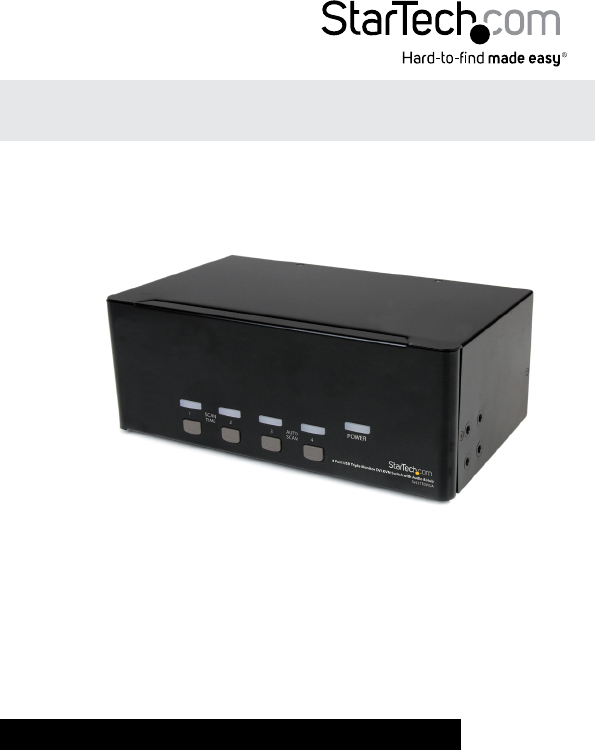
2/ 4 Port Triple Monitor DVI USB KVM Switch
with Audio and USB 2.0 Hub
*SV431TDVIUA shown
Inhaltsverzeichnis
Seite 1 - SV431TDVIUA
Manual Revision: 05/01/2014For the most up-to-date information, please visit: www.startech.comDE: Bedienungsanleitung - de.startech.comFR: Guide de l&
Seite 2 - FCC Compliance Statement
Instruction Manual7Audio LockThere are two options for Audio Lock: ON and OFF. When ON, audio selection follows computer selection. When OFF, audio
Seite 3 - Table of Contents
Instruction Manual8Alternative Hotkey CommandsIn addition to the Left <CTRL> + Left <CTRL> hotkeys, there are two alternative hotkey seque
Seite 4 - Introduction
Instruction Manual9Change Leading HotkeyThe default leading hotkey sequence involves pressing the left <CTRL> twice in succession (e.g. left <
Seite 5 - Rear View
Instruction Manual10SpecicationsSV231TDVIUA SV431TDVIUANumber of Ports 2 4Console Connectors3 x 19-pin DVI-I female4 x USB type A female2 x 3.5mm Aud
Seite 6 - Installation
Instruction Manual11Technical SupportStarTech.com’s lifetime technical support is an integral part of our commitment to provide industry-leading solut
Seite 7 - Operation
Hard-to-nd made easy. At StarTech.com, that isn’t a slogan. It’s a promise.StarTech.com is your one-stop source for every connectivity part you need.
Seite 8 - Hotkey Control
Instruction ManualFCC Compliance StatementThis equipment has been tested and found to comply with the limits for a Class B digital device, pursuant to
Seite 9
Instruction ManualiTable of ContentsIntroduction ... 1Packagi
Seite 10 - Instruction Manual
Instruction Manual1IntroductionThe 2/ 4-Port Triple Monitor DVI USB KVM Switch allows 2 or 4 PCs, each with 3 DVI video outputs, to share monitors, 1
Seite 11 - Alternative Hotkey Commands
Instruction Manual2Front ViewRear ViewComputer connectors (PC1)Console DVI-I connectors (Output)USB 2.0 HubConsole USB keyboard/ mouse port3.5mm Audio
Seite 12 - Change Leading Hotkey
Instruction Manual3InstallationNOTE: Prior to the installation, please power o all devices that will be connected to this system.• Ensure that all d
Seite 13 - Specications
Instruction Manual48. Once operation has been successfully conrmed, switch to the next port and power up that computer/device and conrm.9. Once co
Seite 14 - Warranty Information
Instruction Manual5Hotkey ControlA Hotkey command is a short keyboard sequence for selecting a computer, activating computer scan, etc. A hotkey sequ
Seite 15
Instruction Manual6Scan TimeFour options are available for users to set the Scan Time duration, it Includes 3, 8, 15 and 30 seconds. Note: Scan Time i
Verwandte Produkte und Handbücher für Computerzubehör Startechcom SV431TDVIUA
 (0 Seiten)
© 2020, manymanuals.de. Alle Rechte vorbehalten. | 0.078 s |
 Manymanuals.com
 Manymanuals.de
 Manymanuals.fr
 Manymanuals.it
 Manymanuals.pl
 Manymanuals.cz
 Manymanuals.es
 Manymanuals-pt.com
Kommentare zu diesen Handbüchern